Google Gemini eases web surfing for users with vision and hearing issues
Android devices have offered a built-in screen reader feature called TalkBack for years. It helps people with vision problems to make sense of what appears on their phone’s screen and lets them control it with their voice. In 2024, Google added its Gemini AI into the mix to give users a more detailed description of images.
Google is now bolstering it with a whole new layer of interactive convenience for users. So far, Gemini has only described images. Now, when users are looking at images, they can even ask follow-up questions about them and have a more detailed conversation.
How does it help users with vision difficulties?
“The next time a friend texts you a photo of their new guitar, you can get a description and ask follow-up questions about the make and color, or even what else is in the image,” says Google. This builds on the accessibility upgrade that integrated Gemini within the Talkback system late last year.
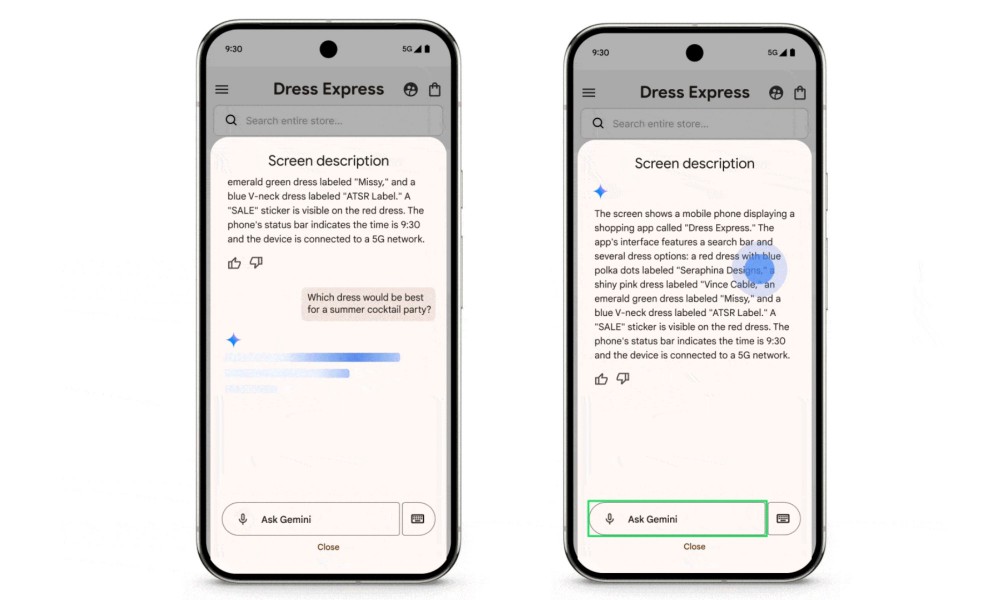
The Talkback menu on Android now shows a dedicated Describe Screen feature that puts Gemini in the driving seat. So, for example, if users are browsing a garment catalogue, Gemini will not only describe what appears on the screen, but will also answer relevant questions.
For example, users can ask questions such as “Which dress would be the best for a cold winter night outing?” or “What sauce would go best with a sandwich?” Gemini will also be able to analyse the entire screen and inform users about granular product details, or if there are any discounts available.
Making captions expressive and improving text zoom
In the Chrome browser, Google is giving a small lift to the auto-generated captions for videos. Let’s say you are watching a football match. The captions will no longer just follow the commentator’s words, but will also match their emotions and expressions.
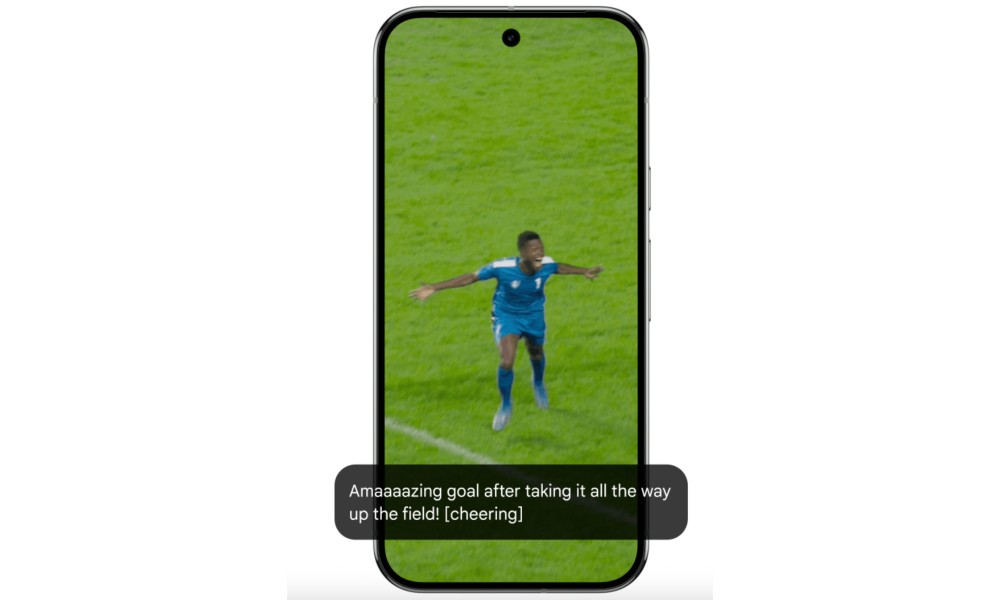
For example, instead of “goal,” users with hearing issues will see a resounding “goooaaal” for an added dash of emotional emphasis. Google is calling them Expressive Captions.
In addition to human speech, they will now also cover important sounds such as whistles, cheering, or even the speaker just clearing their throat. Expressive captions will be available on all devices running Android 15 or a later version, in the US, UK, Canada, and Australia.
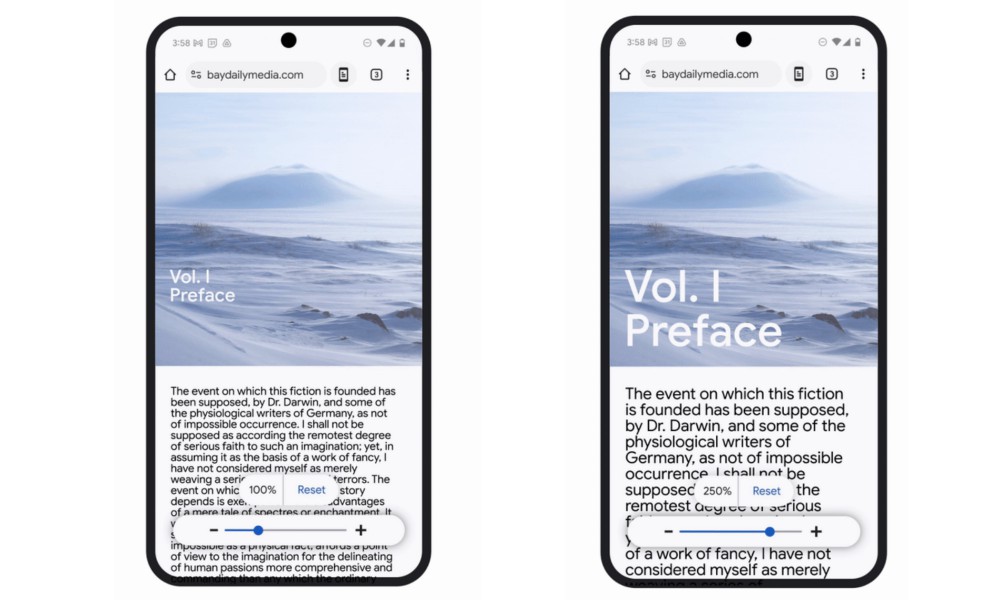
Another meaningful change coming to the Chrome browser is adaptive text zoom, which is essentially an update on the Page Zoom system available on Android phones. Now, when users increase the size of text, it will not affect the layout of the rest of the web page.
“You can customize how much you want to zoom in and easily apply the preference to all the pages you visit or just specific ones,” says Google. Users will be able to make zoom range adjustments using a slider at the bottom of the page.


Comments on "Google Gemini eases web surfing for users with vision and hearing issues" :